Know the UV before you head out.
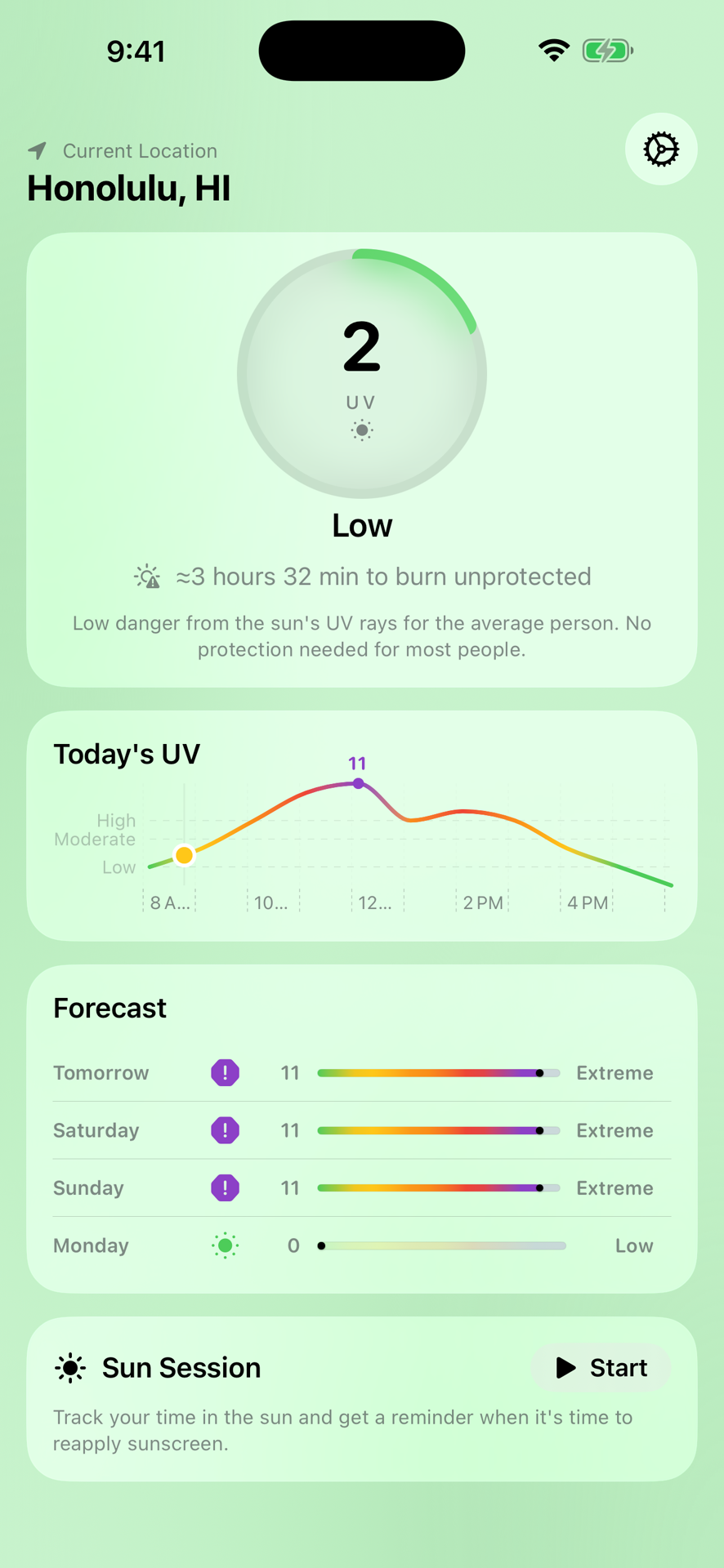
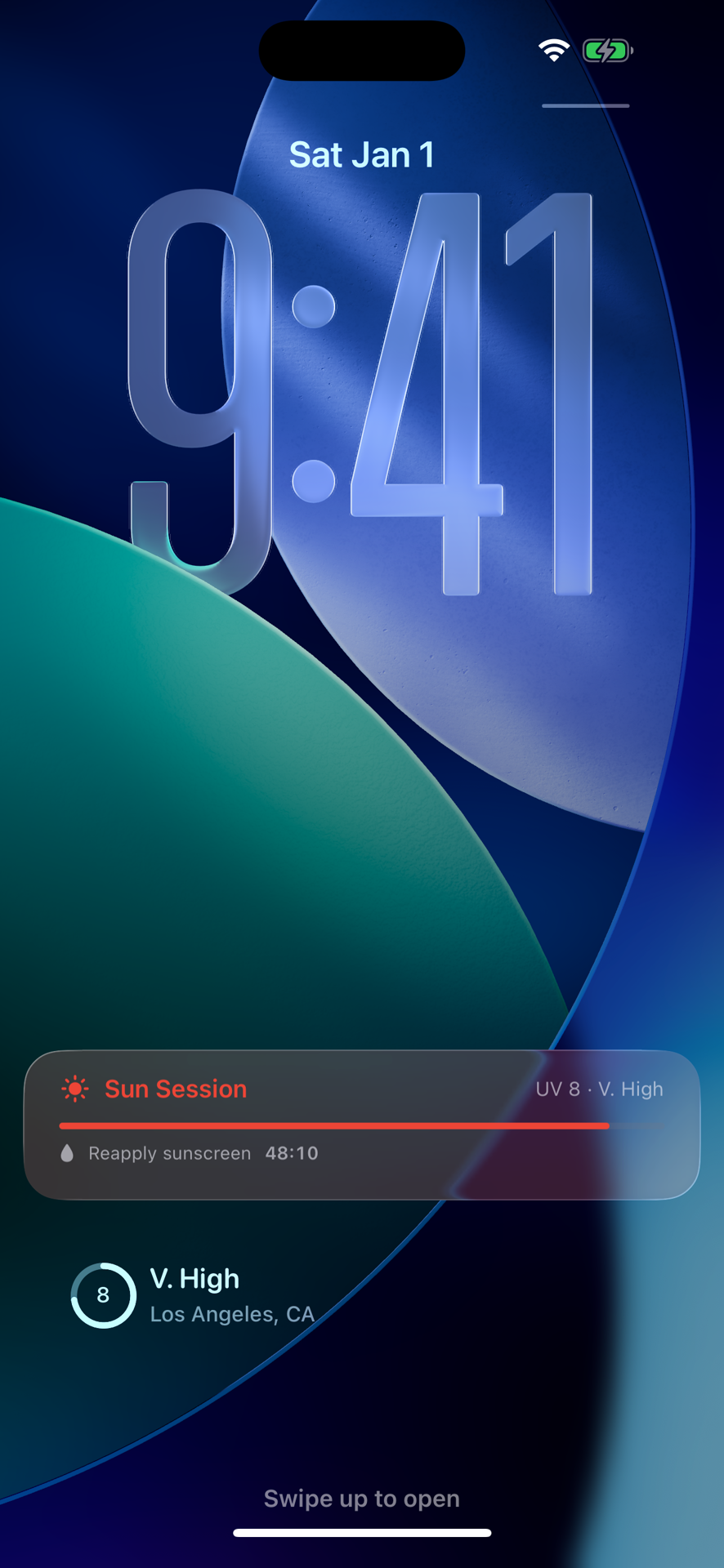
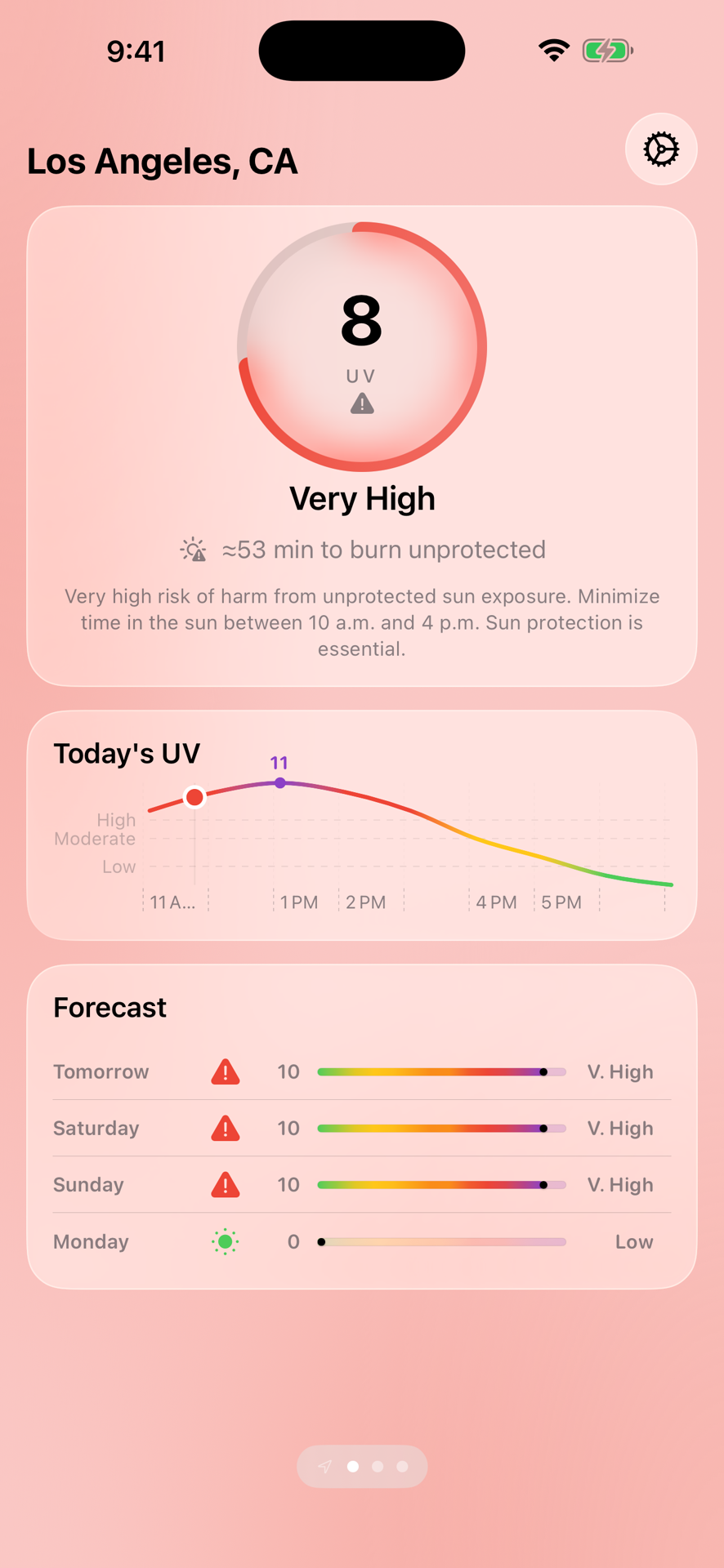
UV Report shows the live UV index anywhere in the world, estimates your time to burn for your skin type, and runs a sunscreen-reapply timer right on your Lock Screen.


Built for real sun decisions
Not a generic chart — guidance tuned to your skin and your exact spot.
Skin-type time to burn
Set your Fitzpatrick skin type and see how long unprotected skin can take the current UV before it burns.
Sun Session timer
Start a session and a sunscreen-reapply countdown runs on your Lock Screen and in the Dynamic Island, set from your burn time.
Daylight hourly chart
A daylight-anchored hourly curve marks the upcoming peak, with a multi-day forecast and a plain-language daily summary.
Worldwide, in local time
Save locations anywhere and read their UV in their own local time — Tokyo's peak shows in Tokyo time, not yours.
Widgets, Watch & Siri
Home and Lock Screen widgets, an Apple Watch app with complications, and "what's the UV index?" via Siri Shortcuts.
High-UV alerts
Optional notifications when the day's UV is forecast to peak high, so you can plan sun protection before you head out.
See it in action
A closer look at UV Report on iPhone.
Questions
Where does UV Report get its data?
UV data comes from currentuvindex.com, a free worldwide source.
What is "time to burn"?
It estimates how long unprotected skin can stay in the current UV before burning, personalized to the Fitzpatrick skin type you choose in Settings. It is general guidance, not medical advice.
Is UV Report free?
Yes. UV Report is free with one occasional sponsored item. An optional tip removes ads — a small tip covers about a month, the largest over a year, and tips stack.
Does it work on Apple Watch?
Yes — there's an Apple Watch app and complications, plus Home Screen and Lock Screen widgets and a Siri shortcut on iPhone.
How is my location used?
Only to fetch the UV index for where you are. It's never sold or used to track you, and the app works with manually added locations if you'd rather not share it. See the Privacy Policy.
Plan your sun. Skip the burn.
Free on the App Store for iPhone and Apple Watch.